Settings
General
- Appointment Settings.:
- Default Appointment Status
- Time System
- Date Format
- Selectable Time Intervals in Minutes
You can define the default session interval of your customer
- Show Appointment End Time
- Disable Verbose Date Output
- Restrictions.:You can set restrictions on earliest/latest dates in the future when your customer can place an appointment. You can either use a relative values like for example "+1 month", "+5 days", "+2 weeks", or you can use a fixed date in format YYYY-MM-DD. Leave blank to remove any limitations.
- Currency Settings:
- Phone Settings:
- Appearance Settings:
- Social Login:
- Enable customer login using facebook or google account, this step need an IT guy.
- Setup Pages:
- This is for website appearance.
Schedule
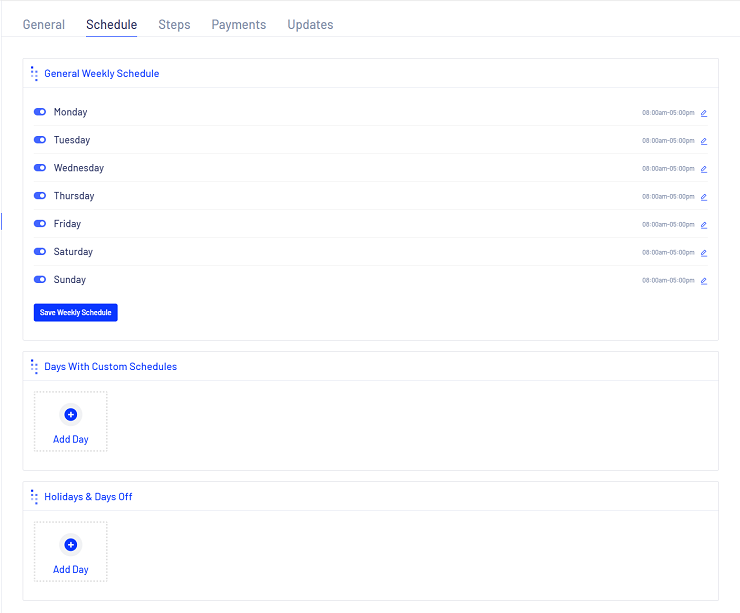
You can pick your working days and working hours in an extreme easy way, you can custom every days separately as you want.
also, you can have custom days only, in Days With Custom Schedules
so you may have a half a day working days at the end of week-end for example for
one time.
and you can pre defined your Holidays & Days Off so the users and
agents or admins can not book an appointments on these days
Steps
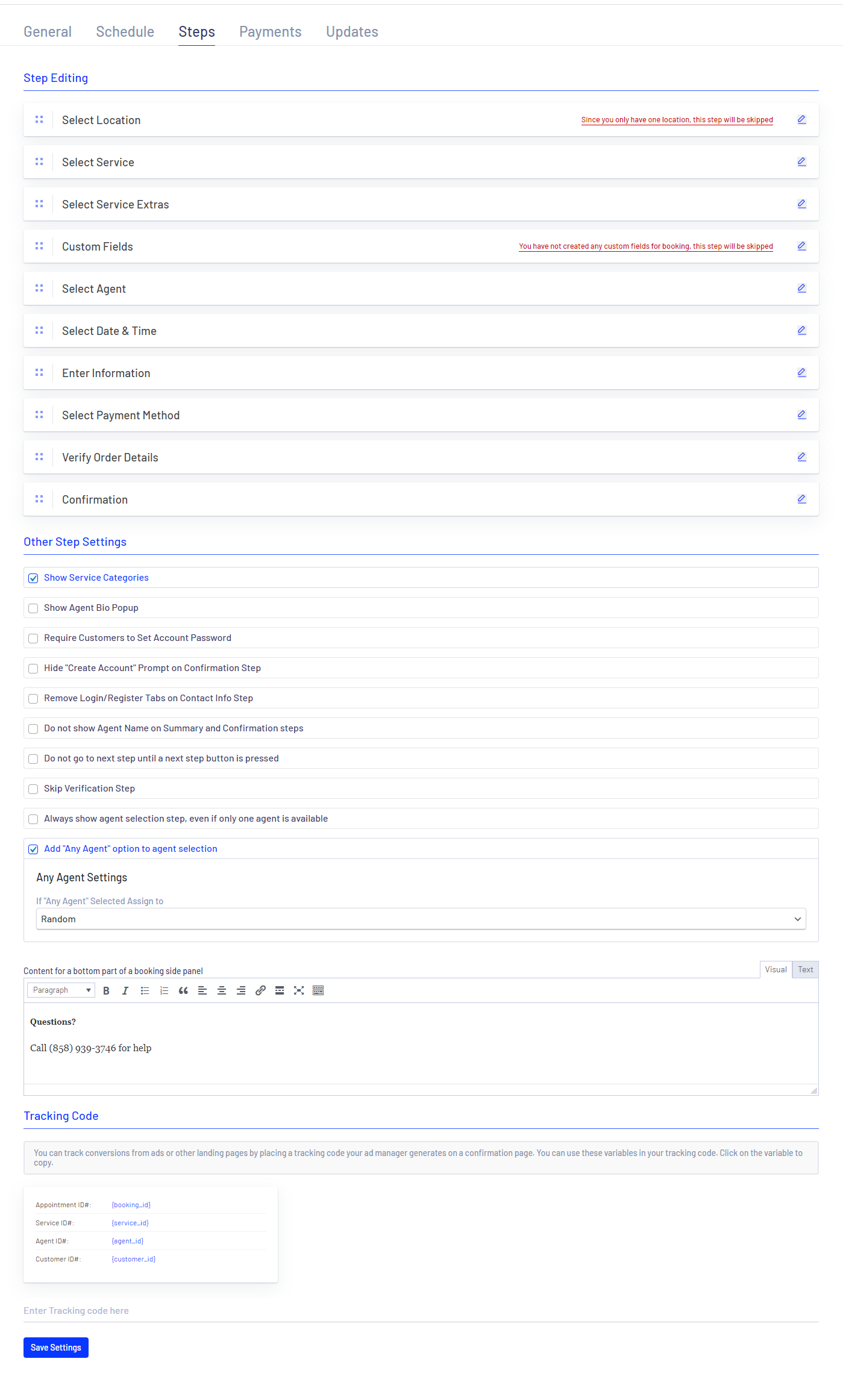
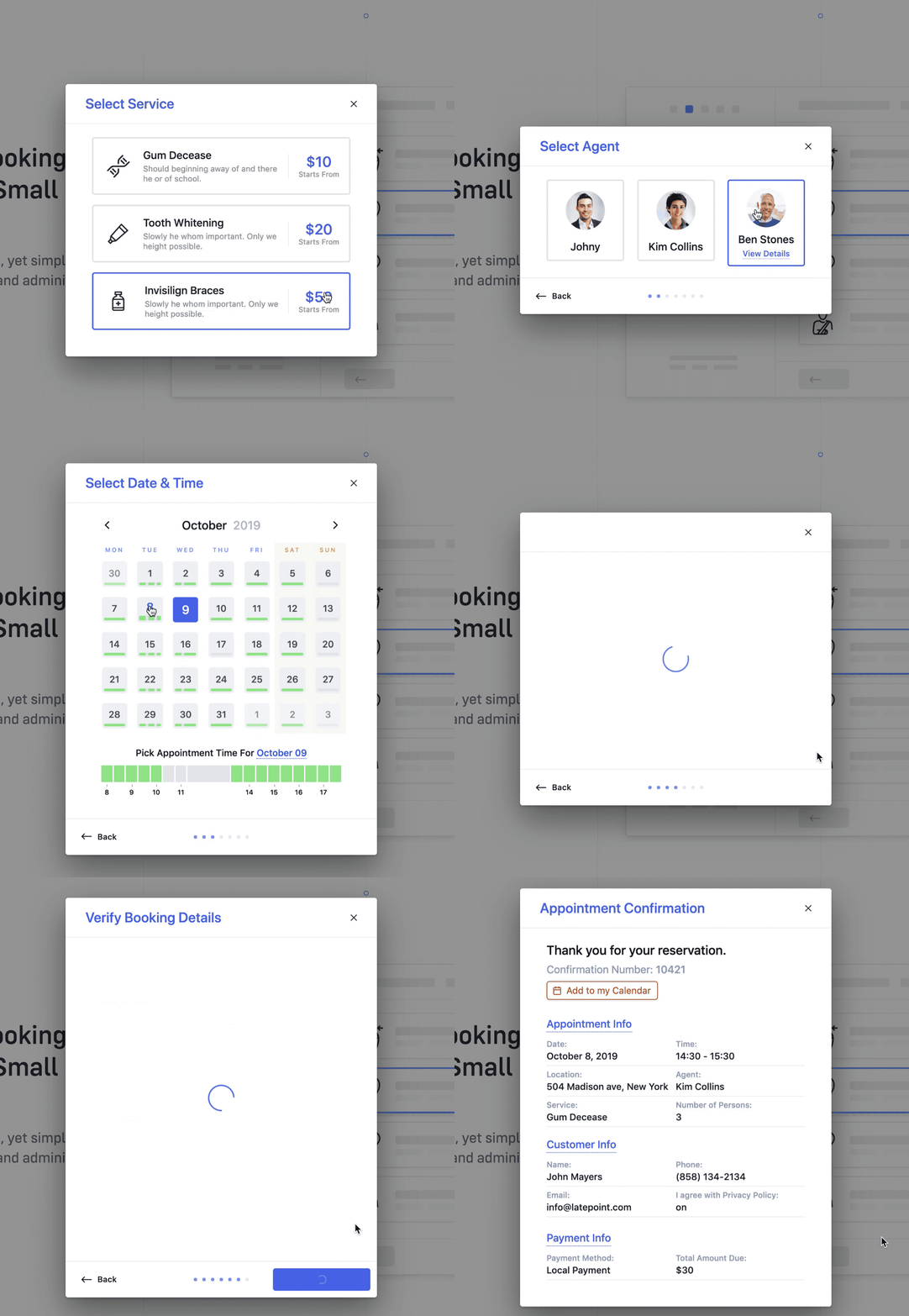
This section is how the end users can walk through the booking steps, you can re-arrange the steps to the users upon your needs, so the users will have next wizard to fill their own information, check the figure below
Payments
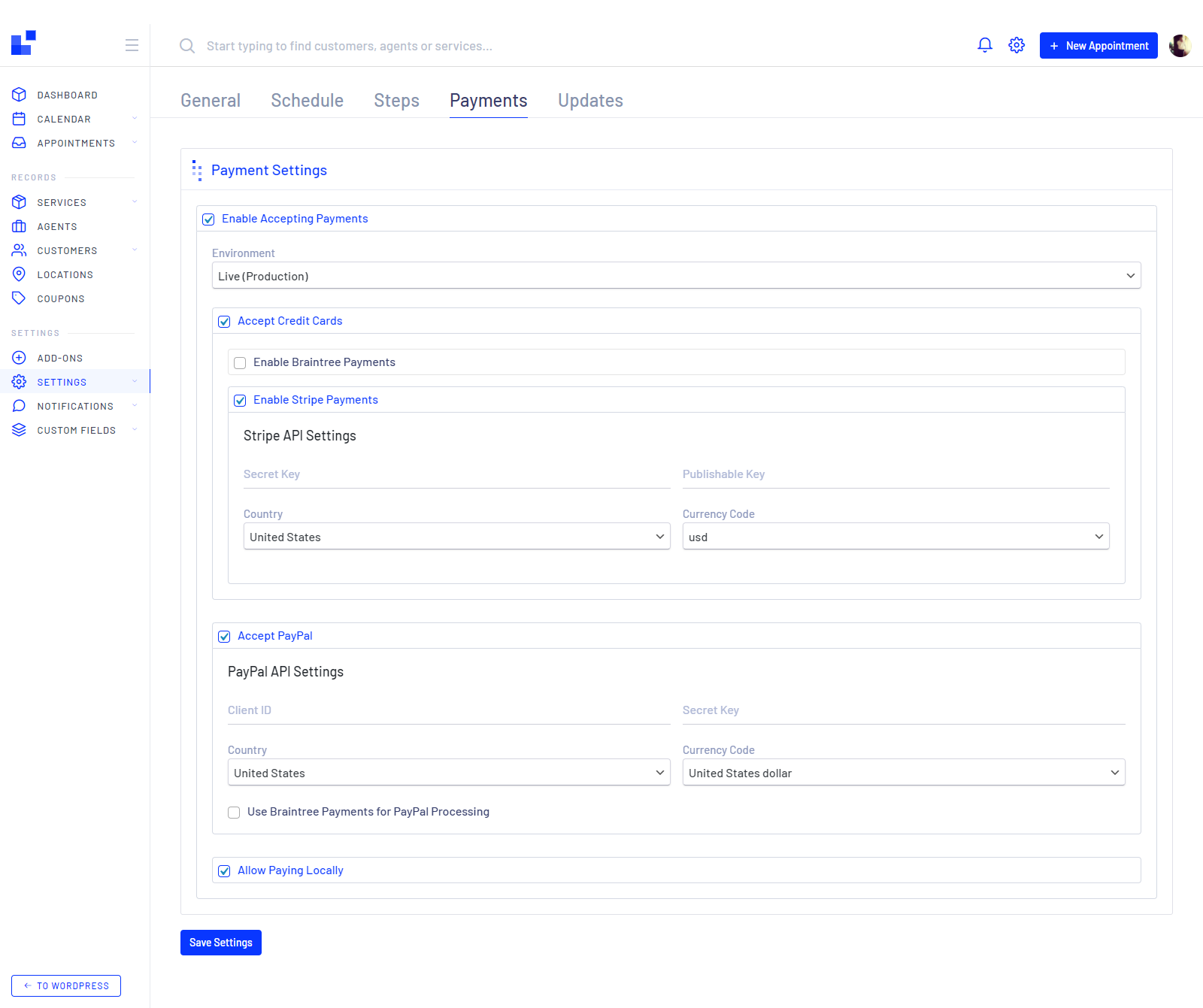
You have 5 options for payment at the current time:
- Accept PayPal Gateway
- Enable Braintree Payments Gateway
- Enable Stripe Payments Gateway
- Allow Paying Locally
- Or, Disable all the options