Appointments
All Appointments
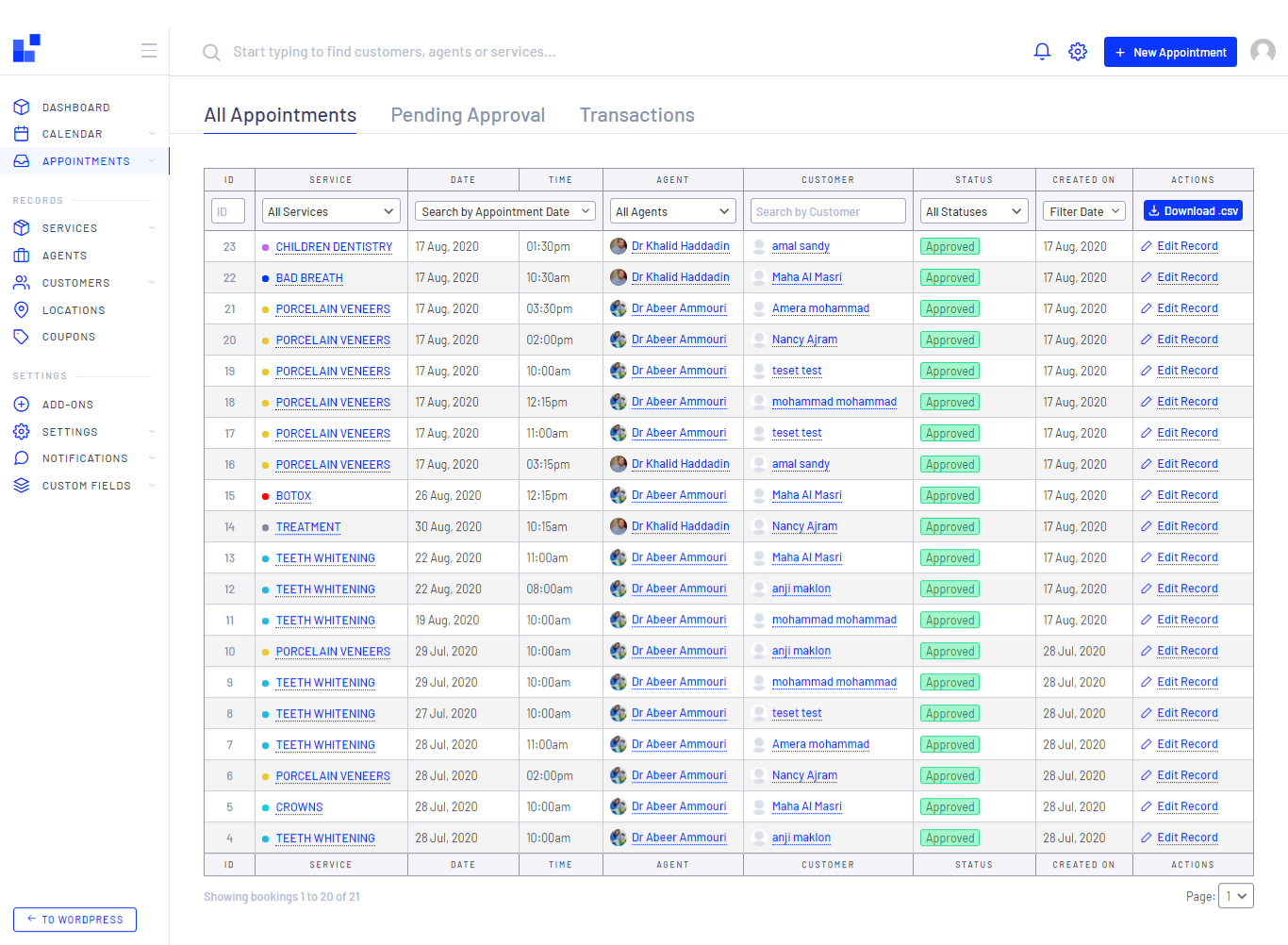
All Appointments are listed under the Appointments sub-menu.
In order to edit a appointment click the Service name row
or on Actions row in the table.

Also, Quick search and filter for the appointments by just typing any letter of the customer name, pick the service he booked, date time or the creation date of it
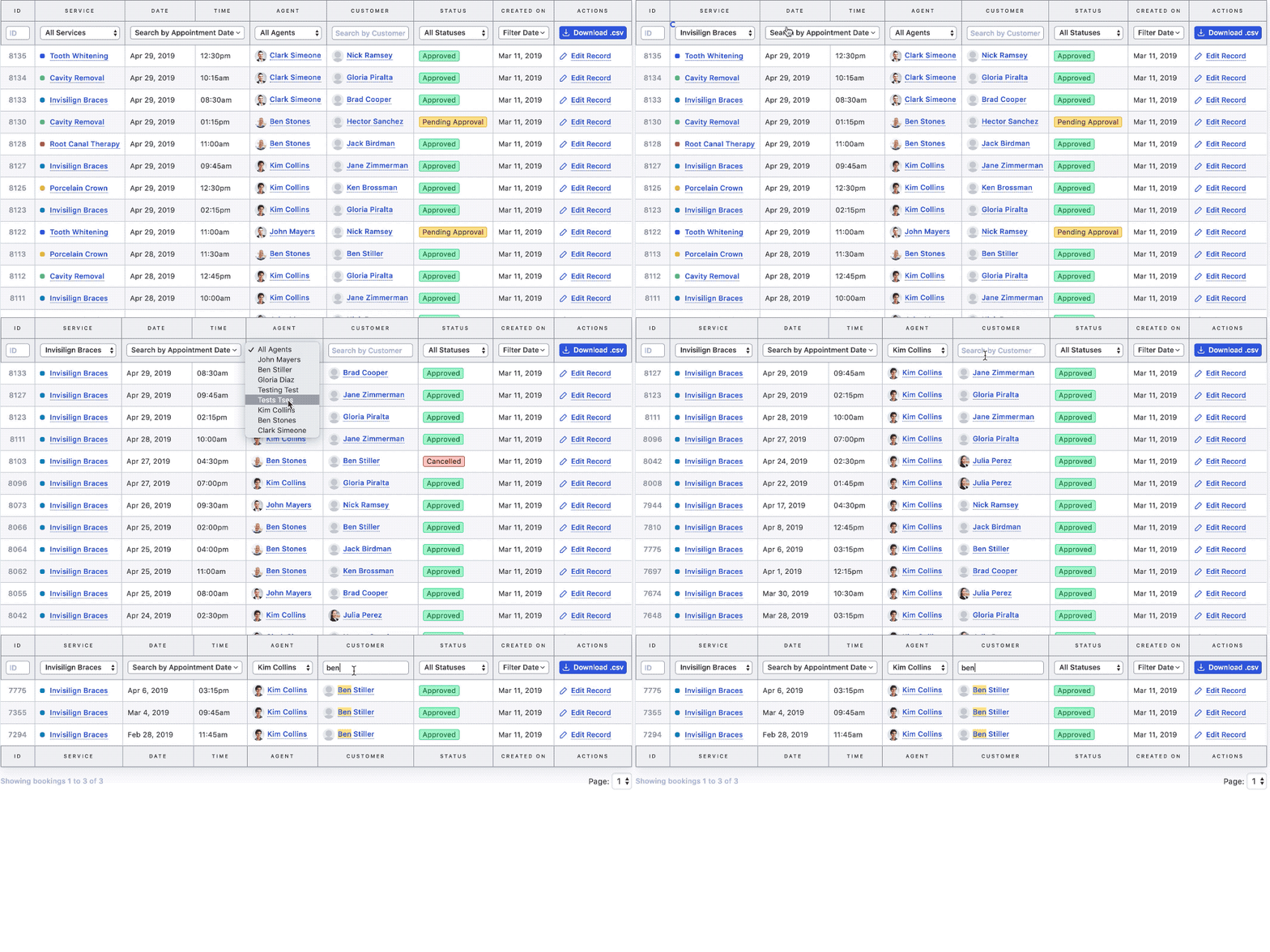

With extremely easy way you can filter your results and search on the
appointments table, after that click on Download.csv
button to custom export or generate a reports for your selected dates,
agents or
services

Pending Appointments
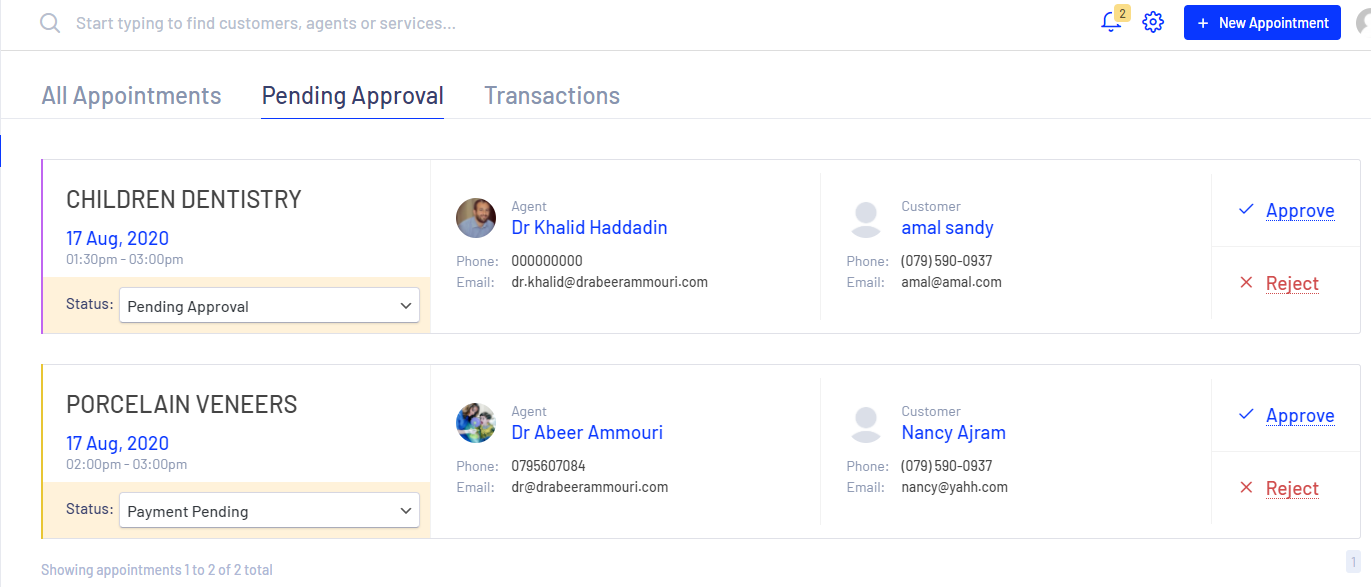
You will find all pending appointments that have been created by admin or clients it self, You have 2 options of manging the order
- You can directly Approve or Reject the booked appointment
- or, You can change the status of the appointment, and this will reflect directly on the system, so the status will updated directly as will, so an email or sms will receive the customer if the system is configured to do that.
Warning
You have to refresh your page, in
order to find the accurate number of pending appointments
Transactions
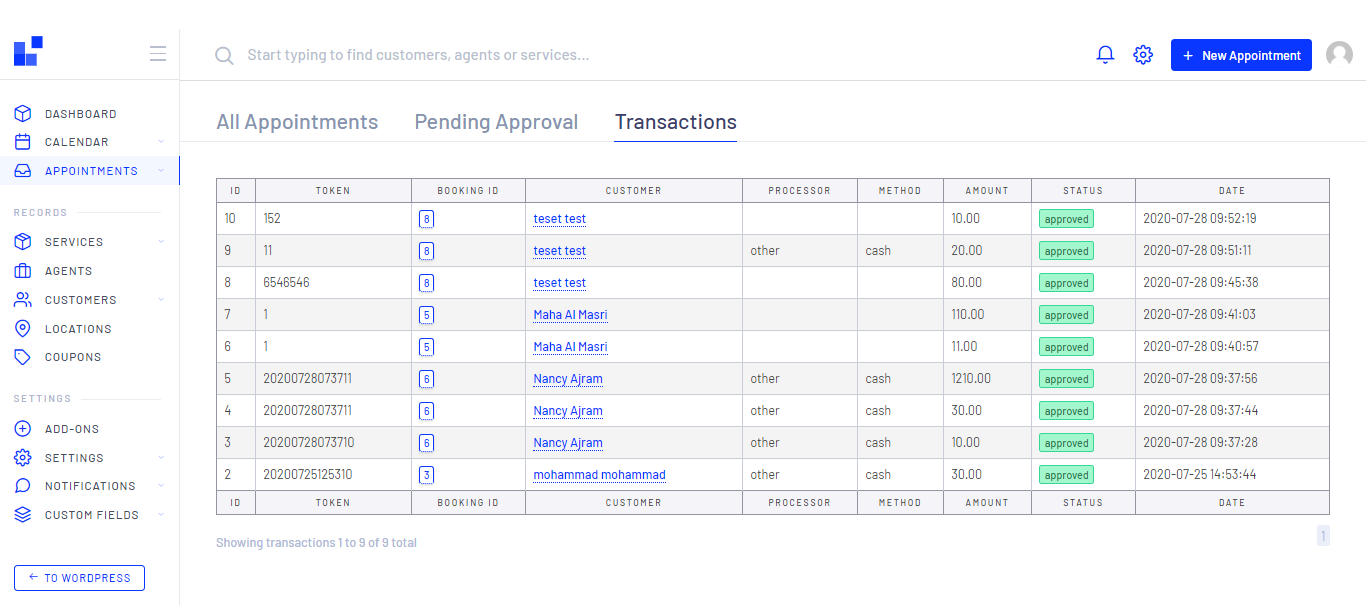
You will find all transactions that have been created or paid by admin or online
by your clients, AND Please note that the transactions could be the several
amounts of payments done by admin for the same reservation or appointment.
so yes the admin can pay the amount in several payments , you can find
the client details by click on the client name row, or find the order details by
clicking on the BOOKING ID
As shown in the figure below, TOKEN row: this field entered by you Admin
for accounting purposes and to follow up with payments later on, it should be
unique nad easy to trace, we always recommend you enter the current date and
time for example (day month year hour minute second --> 22082020101145), or you
can find the best practice to met your expectations.
Status is the current situation of the transaction, the benefit of this column when the client is paying online only, if the admin submit a transaction it will be always APPROVED