Calendar
Calendar is the place where you can find all appointments with a stunning views, you can find filter it as daily, weekly or monthly view.
Daily View
This section will show you the booked appointments for Today by default, and you can move between days as you want so you can pick any day of the month even if its previously or a coming day.
As shown in the image below, you can find evey single appointment for every agent as a column separated in the agenda of the day and the service he/she booked for.
For the holidays, you will find that the days are colors as faint red
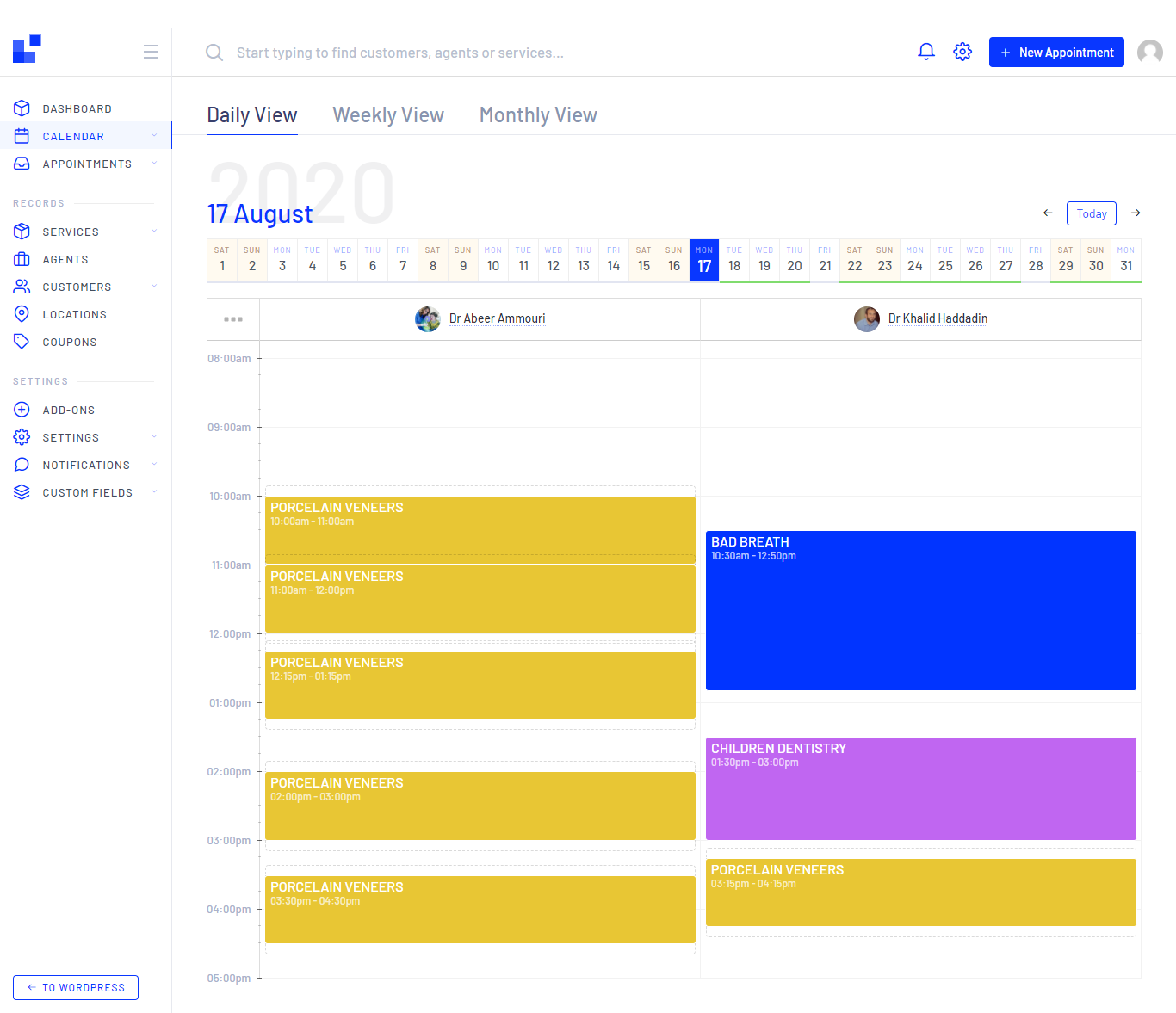
You can change your days off, by click on it from the calendar view
Weekly View
The most favorite view all over the customers, as they prefer to check the whole week once.
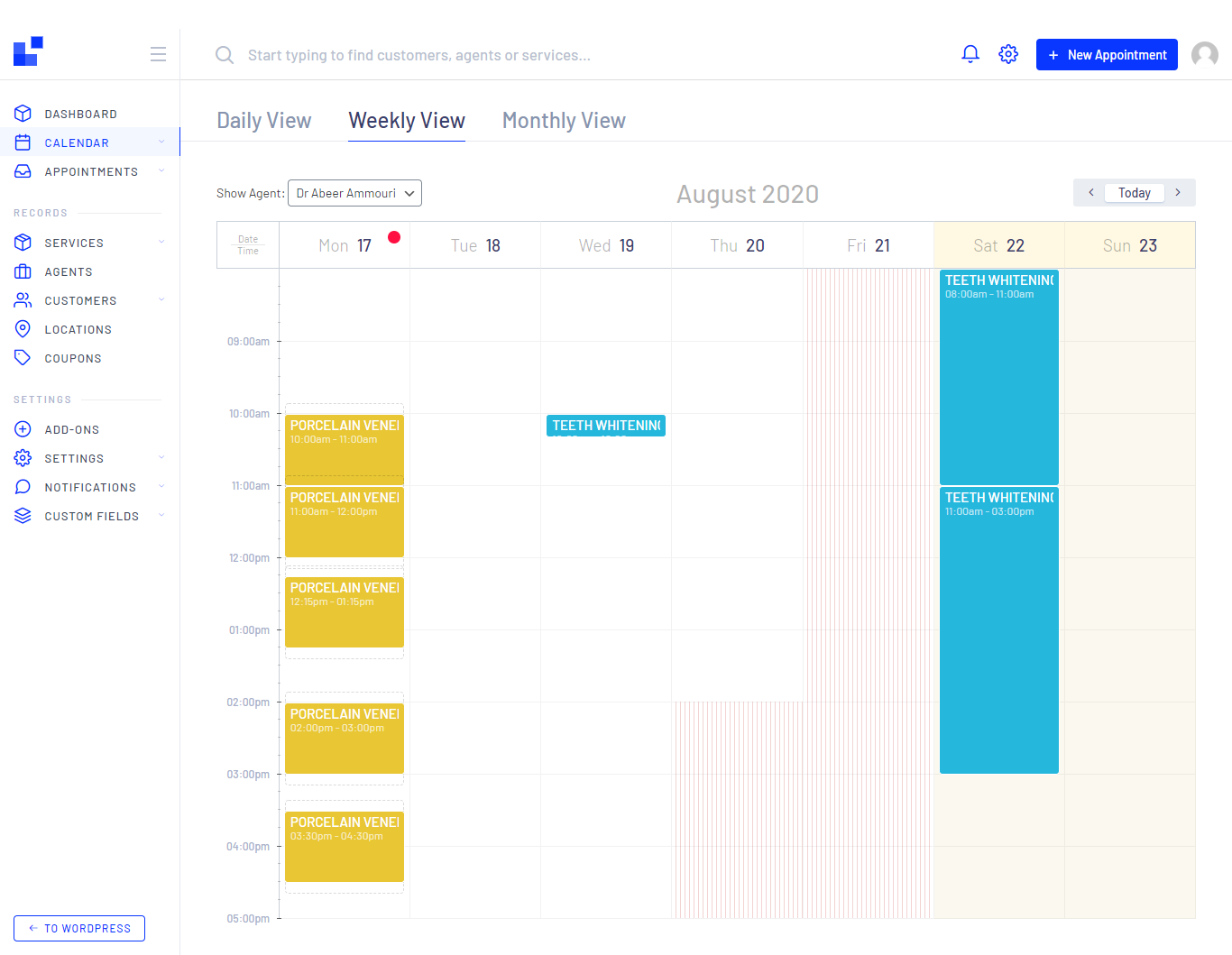
- You can find booked appointments as a clear table.
- and you can change the agent from the drop down menu from the top left.
- Red point
will show you the current day
Today - Holidays and out of working hours will be colored with faint red
- You can easily pick a day and time to create an appointment with one click only
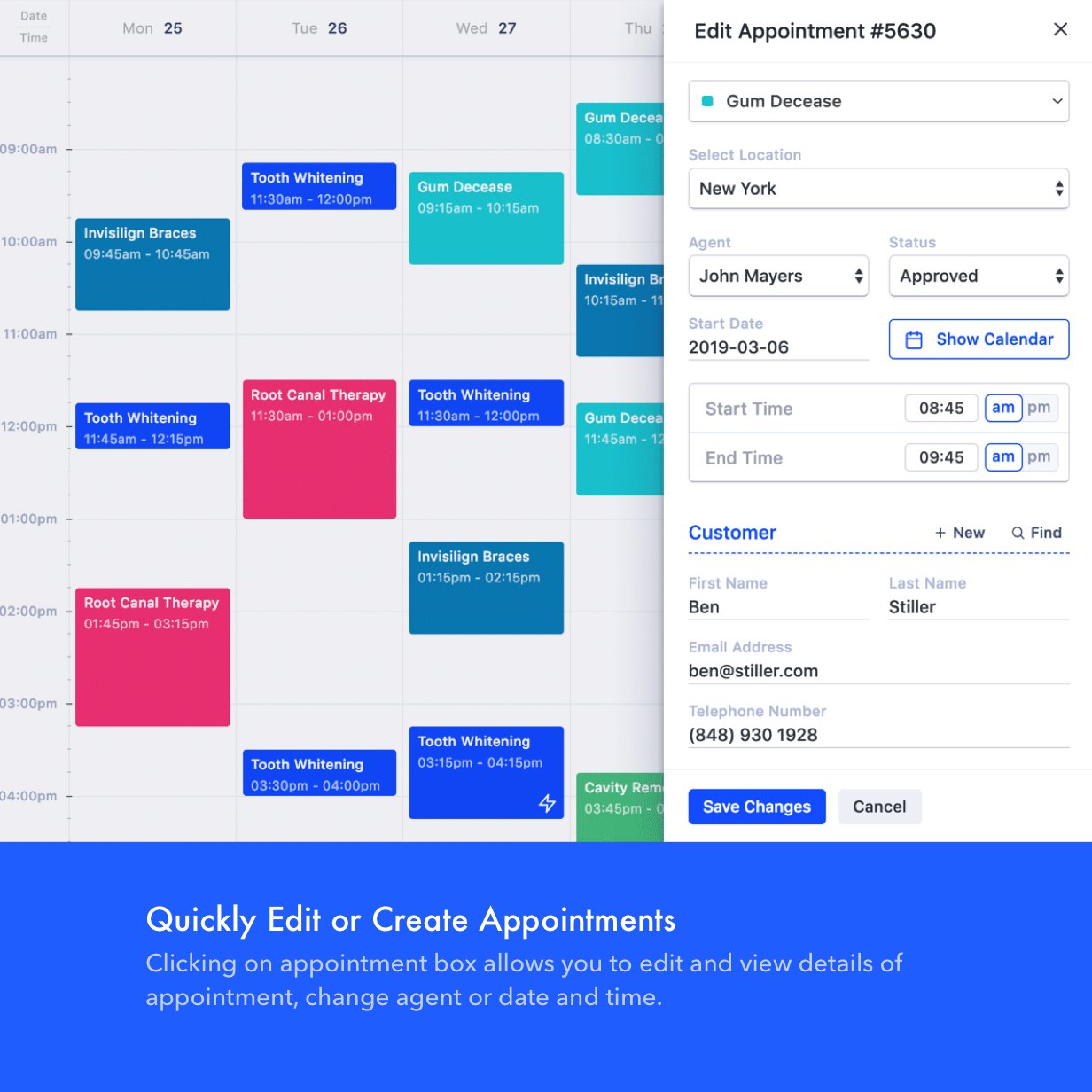
- Also, you can click on any appointment to check the details, edit appointment or update status it if you want.
Monthly View
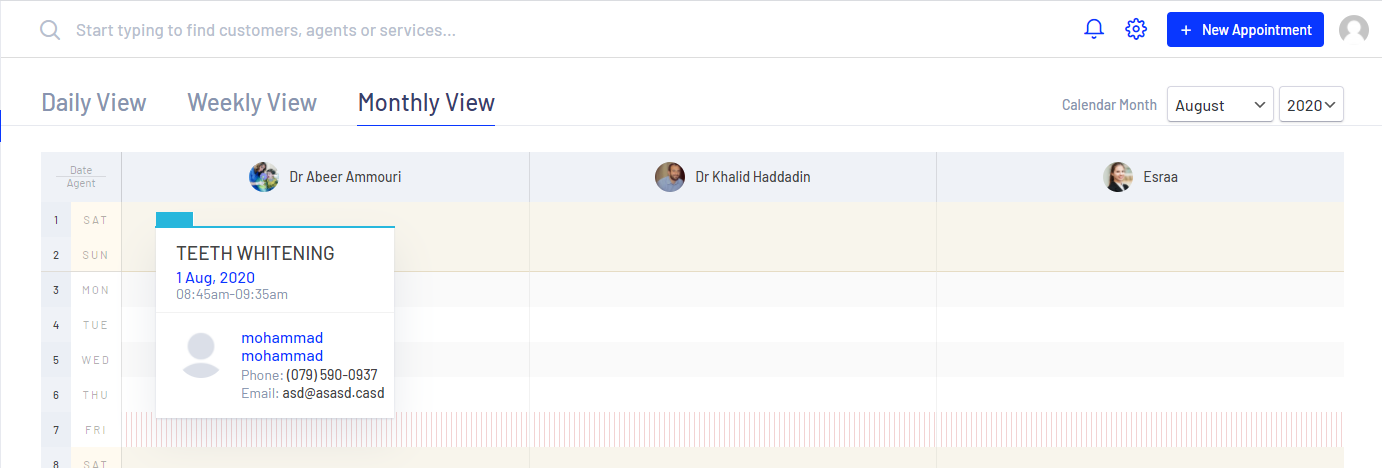
(Aka as Panoramic view), you can find all appointments in the
current month for all
agents at the same time.
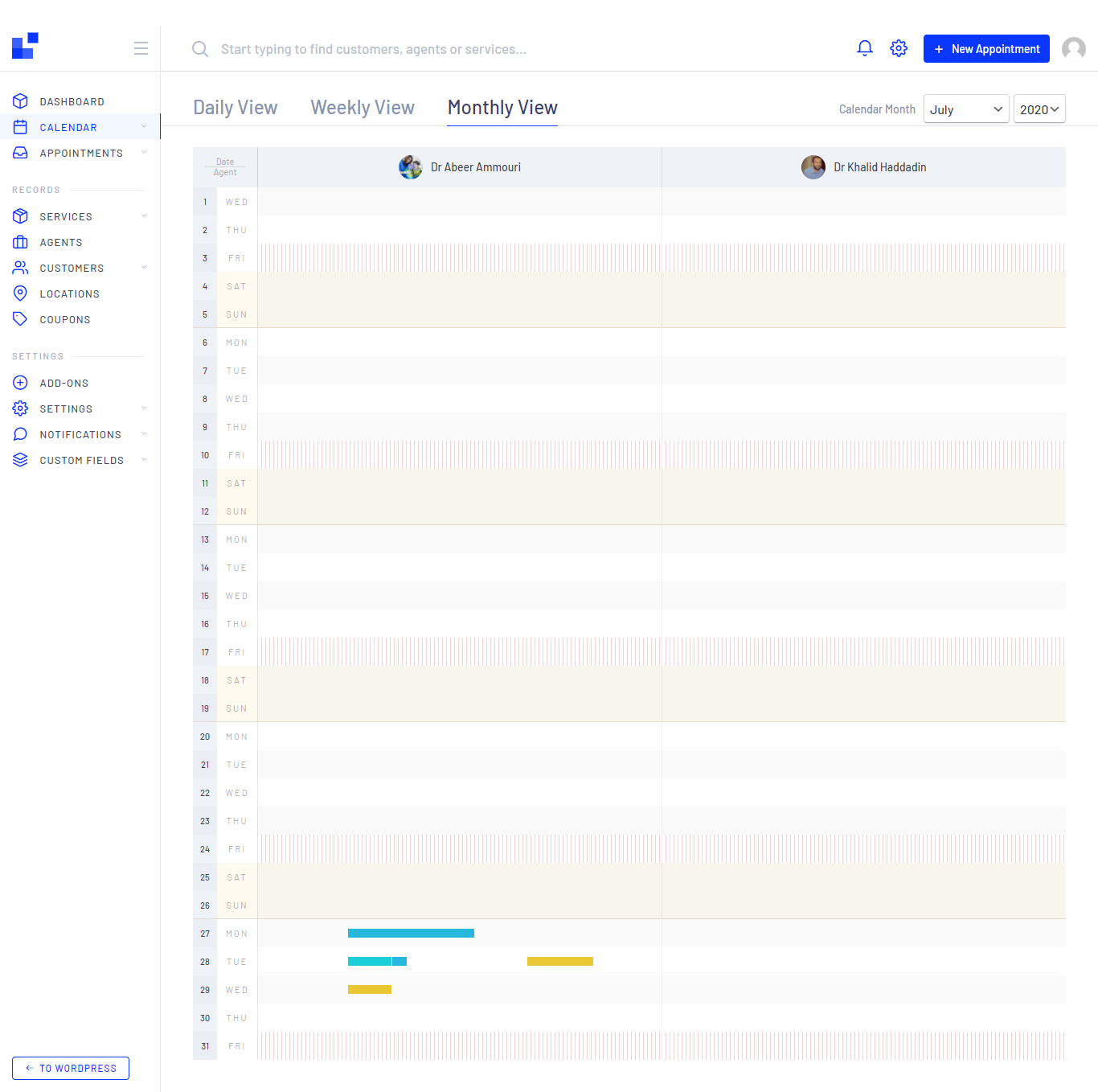
On mouse over above the appointment you can check the details, Service, client name, email, phone, date and time, by clicking on it you can do the normal operations
You can also choose the month and year from the drop down menu on the top left, to change the date, so you can use it for reporting and double purposes as showing below.
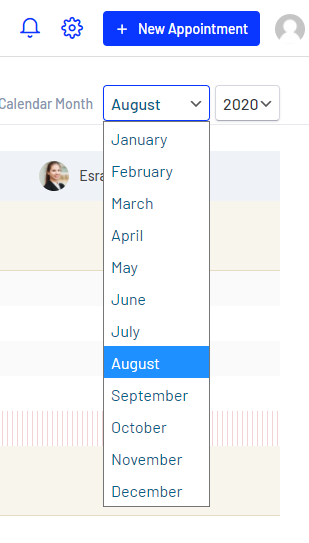
You can choose only for 3 years from the drop down menu in the monthly view, if you want more, go to the weekly view and click on the left right arrows as you want ;) don't tell any one